FreshRSS Widget
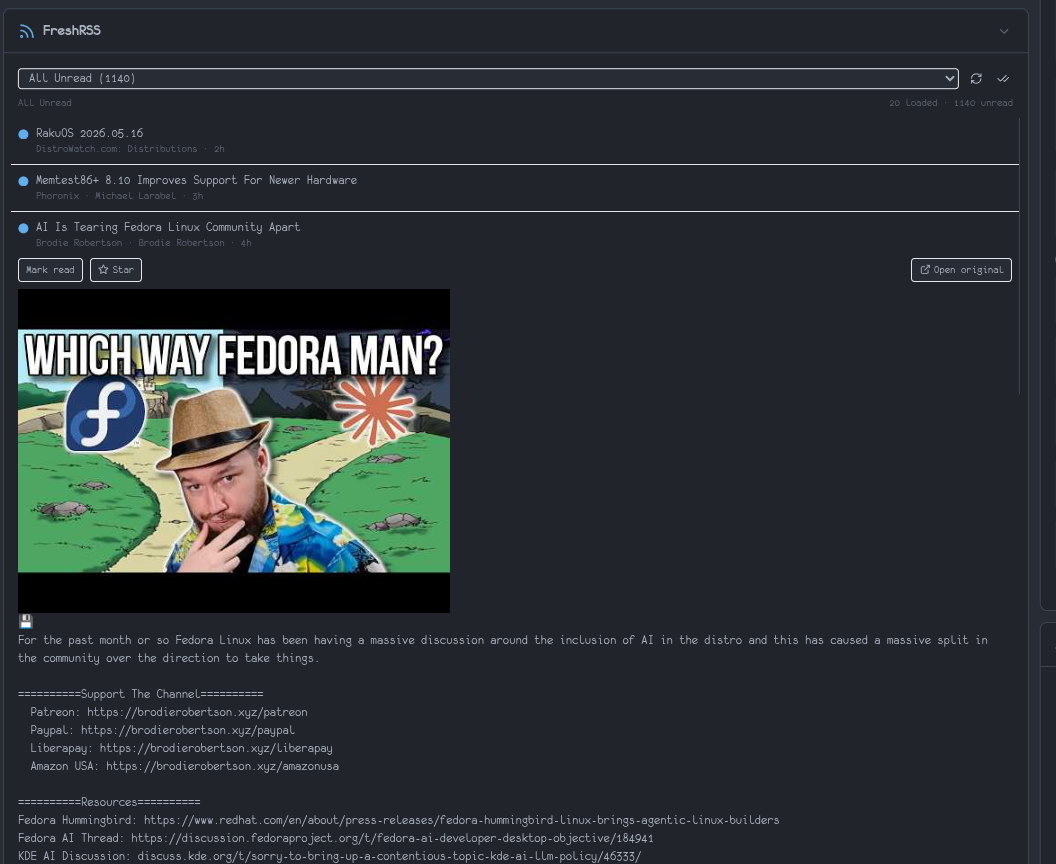
An interactive RSS reader that talks to your FreshRSS instance through the Google Reader-compatible API. Browse unread articles by category, read sanitized HTML inline, mark items read/unread, star/unstar, and bulk-mark a stream as read — all without leaving the dashboard.
Requirements
- A running FreshRSS instance
- The Google Reader API enabled in FreshRSS
- An API password (separate from your login password)
Enabling the Google Reader API in FreshRSS
- Go to Settings → Authentication
- Enable Allow API access
- Go to Profile and set an API password
Alternatively, the FreshRSS CLI sets the API password directly:
bash
docker exec freshrss php /var/www/FreshRSS/cli/update-user.php \
  --user <username> --api-password <strong-password>
Configuration
| Key | Type | Default | Description |
|---|---|---|---|
freshrssUrl | string | — | Base URL, e.g. http://freshrss:80 or https://rss.example.com. No trailing path. |
username | string | — | FreshRSS username |
apiPassword | string | — | FreshRSS API password (not your login password) |
autoMarkReadOnExpand | boolean | true | Auto-mark an unread article as read 1 s after you expand it. Toggle off in widget settings to require explicit "Mark read" clicks. |
Features
- View selector: All Unread, any category, or Starred items
- Article list: paginated 20 at a time with a "Load more" button
- Inline reader: click any article to expand it in place; the body is rendered as sanitized HTML (DOMPurify) with external links opening in a new tab
- Auto-mark-read on expand (configurable per widget, default on): expanding an unread item marks it read after a 1-second delay. Collapsing, clicking another item, or unmounting the widget within that second cancels the timer. Toggle off in the widget's settings if you prefer to mark items read manually.
- Per-item actions: mark read/unread toggle, star/unstar, open the original URL
- Bulk action: "mark all as read" for the currently selected stream (disabled in the Starred view)
- Live counts: category and total unread counts refresh every 60 seconds; manual refresh button forces an immediate refetch
- Optimistic UI: marking items updates the visible counts immediately and reconciles on the next refresh
Header (compact) widget
The compact FreshRSS option in Settings → Preferences → Header Widgets shows just the total unread count and shares the same configuration as the main widget. It continues to use the existing /api/freshrss/unread endpoint and is unaffected by these changes.
Notes
- Article content is fetched on demand from FreshRSS and is not persisted in the dashboard's database.
- HTML is sanitized client-side with
dompurifybefore rendering. Inline scripts, event handlers, and disallowed attributes are stripped. AnafterSanitizeAttributeshook forcestarget="_blank" rel="noopener noreferrer"on every link. - Authentication tokens are cached per server process and auto-refreshed on 401.